


SikaiCase
SikaiCase Custom Programmable Mechanical Mini Keyboard – 3 Keys
SikaiCase Custom Programmable Mechanical Mini Keyboard – 3 Keys
Couldn't load pickup availability
- Fast Free Shipping
- 30-Day Return Policy
- 12-Month Warranty
Three shortcuts, ready for faster everyday work.
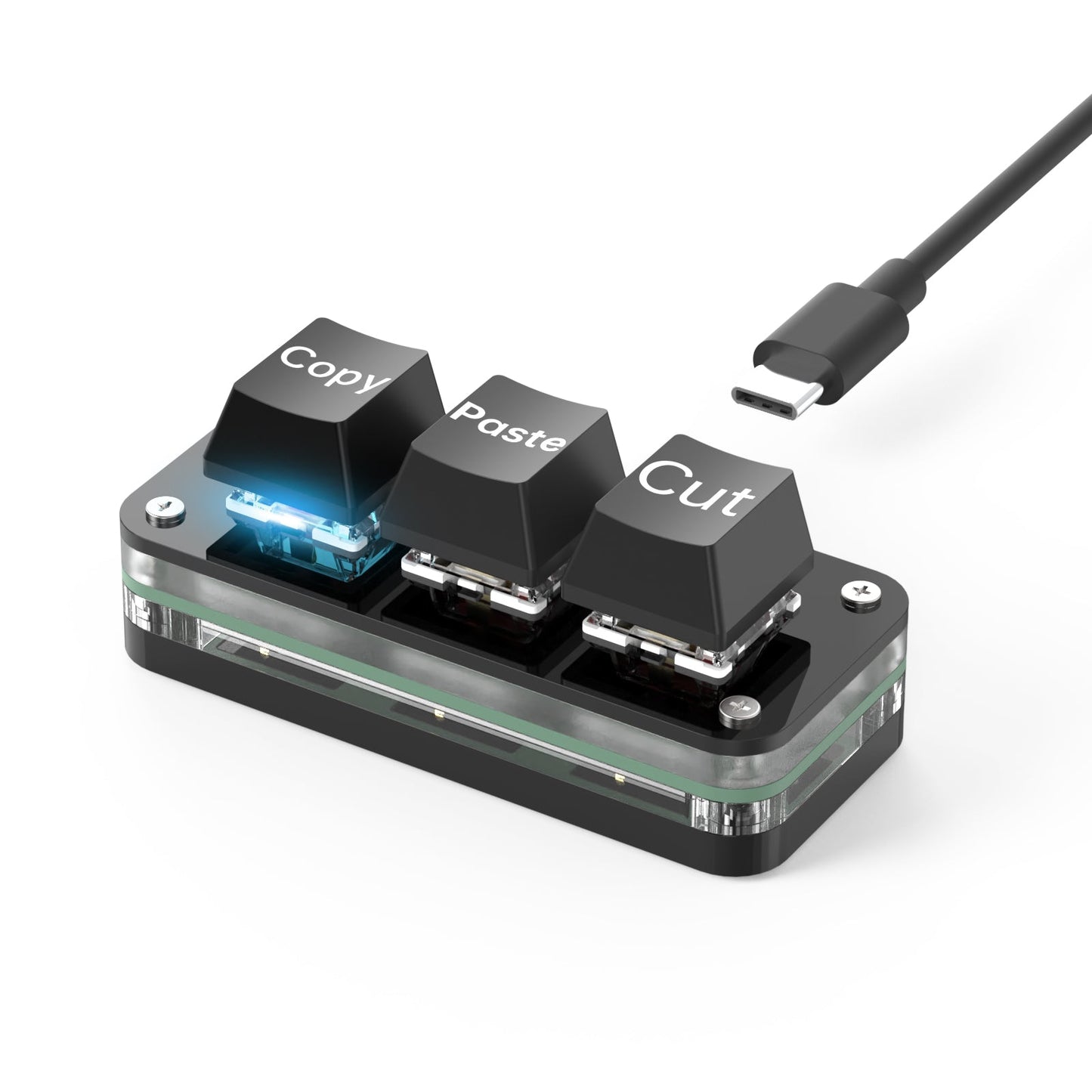
The SikaiCase 3-Key Programmable Mini Keyboard is a compact USB-C wired mechanical keypad for copy, paste, cut, editing, media controls, gaming commands and other repeated actions. Choose printed Copy/Paste/Cut keycaps for ready-to-use default shortcuts, or blank keycaps for a clean programmable setup.
Key Features
- Three-key shortcut layout: keep three frequently used commands beside your main keyboard.
- Ready-to-use printed version: Copy, Paste and Cut keycaps ship with those matching default functions, so no initial programming is required for normal use.
- Programmable blank version: blank-keycap variants must be configured in the Windows software before use.
- USB-C wired connection: this 3-key model is wired only and does not support Bluetooth or a 2.4G receiver.
- Software-controlled RGB lighting: select supported RGB colors and lighting effects in the configuration software.
- Red mechanical switches: smooth linear key feel for repeated presses.
- Hot-swappable design: replace compatible mechanical switches and keycaps to adjust feel and appearance.
- Onboard memory: saved key assignments and supported lighting settings remain on the keypad for normal use after configuration.
Choose Your Keycap Style
Copy / Paste / Cut: the three printed keys have matching default shortcuts from the factory. Connect the mini keyboard by USB-C and use those three functions immediately. You can still reprogram them later if required.
Blank Keycaps: no default labeled workflow is provided. Connect the keypad to a Windows computer and assign the three functions in the software before normal use.
Software and RGB Setup
- Download the software from the SikaiCase Keyboard Software page.
- Connect the 3-key mini keyboard to a Windows computer with the included USB-C cable.
- Assign supported key functions or shortcuts and choose the supported RGB lighting effect.
- Save the configuration to the keypad.
Software requirement: customization is currently completed with the Windows software and a USB-C connection. Mac users should configure the keypad on Windows first. For Mac shortcuts, use the Windows key in the software for Command and Left Alt for Option where applicable.
Best For
- Copy, paste and cut shortcuts
- Photo, video and design software commands
- Office and repetitive data-entry actions
- Media controls and supported application shortcuts
- Supported gaming commands and rhythm-game inputs
Before You Buy
- This product is a 3-key USB-C wired mini keyboard only. It has no Bluetooth mode and no 2.4G receiver.
- Choose the exact color and keycap style you want.
- Printed Copy/Paste/Cut variants work with those default shortcuts out of the box; blank-keycap variants require software setup before use.
- The software is currently available for Windows. Saved functions can then be used on compatible setups, subject to operating-system and application shortcut differences.
- RGB colors and effects are limited to those supported by the device and software.
What's in the Box
3-key mini keyboard ×1
USB-C data cable ×1
Shipping
Free standard shipping. Estimated delivery is typically 8–21 business days, depending on the destination and local delivery conditions.
Care
Disconnect the mini keyboard before cleaning. Wipe with a soft, dry cloth. Keep liquids away from the USB-C port, switches and internal components.
FAQ
Is this a mini keyboard or a full-size keyboard?
It is a compact 3-key mini keyboard for shortcuts and repeated commands. It does not replace a full typing keyboard.
Does the Copy/Paste/Cut version work without setup?
Yes. The printed keys ship with matching Copy, Paste and Cut default functions and can be used after connecting the keypad by USB-C.
Does the blank-keycap version work immediately?
The blank-keycap version needs to be connected to a Windows computer and configured in the software before normal use.
Can I change the printed keys later?
Yes. The printed version has ready-to-use defaults, but its supported key functions can still be reassigned in the software.
Can the RGB lighting be changed?
Yes. Use the Windows configuration software to select the RGB colors and effects supported by the keypad.
Where can I download the software?
Use the English SikaiCase keyboard software download and setup page.
Does this 3-key model support Bluetooth or 2.4G?
No. This product is USB-C wired only and does not include a wireless receiver.
Do I need to keep the software open?
No. After supported settings are saved to onboard memory, the keypad can perform the saved functions without keeping the software open.
Can I configure it directly on a Mac?
The current configuration software is for Windows. Configure it by USB-C on Windows first, then use the saved keypad on a compatible Mac setup.
Are the switches and keycaps replaceable?
Yes. The keypad uses a hot-swappable design for compatible mechanical switches and keycaps.
Can it be used for games or creative software?
Yes, when the assigned action is supported by the configuration software and accepted by the target game or application.
SikaiCase is an independent accessories brand. Any third-party operating-system or application names are used only to explain compatibility and are not endorsements or affiliations.
Share


I bought this as a substitute for something like the Sayodevices and I've been liking it so far.
The only issue I have is that it won't connect to the Software of the Provider, but that might be my own PC.