


SikaiCase
SikaiCase B077T Tri-Fold Keyboard with Touchpad & Number Pad
SikaiCase B077T Tri-Fold Keyboard with Touchpad & Number Pad
Verfügbarkeit für Abholungen konnte nicht geladen werden
- Schneller kostenloser Versand
- 30 Tage Rückgaberecht
- 12 Monate Garantie
A familiar workspace, folded to go. The SikaiCase B077T Tri-Fold Bluetooth Keyboard combines physical QWERTY keys with a right-side panel that switches between a touchpad and a numeric keypad. Use Bluetooth or the included 2.4 GHz USB receiver to type, navigate and enter numbers on compatible devices, then fold it into your bag when the work is done.
Less to carry. More ways to work.
Writing on a phone or tablet can mean reaching for the screen after every few sentences. Working with numbers often means packing another accessory. The B077T brings typing, supported pointer control and touch-sensitive number entry into one folding keyboard, making it useful for business travel, study sessions, shared desks and occasional spreadsheet work.
Settle into a café, a meeting room or a temporary desk with an input setup you can take with you. The three-panel body folds for storage while the opened keyboard gives you a dedicated typing area. Use it on a firm, level surface for stable support.
Key benefits
- Tri-fold portability: folds into a compact form for a bag or backpack, with the typing surface protected inside when closed.
- Touchpad and number pad in one: switch the right-hand touch surface between pointer navigation and numeric input. The numbers are touch controls, not separate mechanical keys.
- Bluetooth plus 2.4 GHz: three Bluetooth channels and a USB receiver connection let you switch among saved device setups. One device receives input at a time.
- Scissor-switch typing: low-profile physical keys provide a quiet typing option for notes, messages and documents.
- USB-C rechargeable: recharge the built-in battery with the included USB-A to USB-C cable.
- Compact English QWERTY layout: letter keys, shortcuts and a switchable number-input area keep common tasks close at hand.
Compatibility
Works with: compatible Windows and macOS computers, Android phones and tablets, and iPhone/iPad devices that support external Bluetooth keyboards. For the 2.4 GHz connection, the host must support a USB keyboard receiver and provide a suitable USB-A port or compatible adapter.
Touchpad requirements: the supplied product guidance excludes Apple systems below iOS/iPadOS 13.4 for touchpad use. Keyboard input, pointer support, gestures and shortcuts are separate capabilities and can vary with the operating system and application. Updating an unsupported device does not guarantee every gesture will work.
Not for: devices without a supported Bluetooth or USB keyboard connection, Apple systems below the stated touchpad requirement when pointer control is essential, or users who need a dedicated physical numeric keypad. This is not a fitted tablet case or an integrated phone stand.
Before buying: check your device's external-keyboard and pointer support, preferred typing language, USB port availability and the apps you use. Phones and tablets with USB-C only may need a suitable USB adapter for the receiver; Bluetooth avoids that receiver requirement.
Choose the connection for your setup
| Connection or mode | Useful for | Check first |
|---|---|---|
| Bluetooth channels 1–3 | Switching between a phone, tablet and computer | Pair each channel and select the device you want to control |
| 2.4 GHz USB receiver | A compatible computer with a USB port | USB-A access or a suitable adapter |
| Touchpad mode | Pointer movement and supported navigation | Operating-system and app support |
| Numeric keypad mode | Entering figures in forms and spreadsheets | Switch the shared touch surface to number-input mode |
Design details
The black body has a two-hinge, three-panel folding structure, low-profile keycaps and a right-side touch surface printed with a numeric layout. Blue secondary legends identify shared functions; they should not be interpreted as a promise of backlit keys. The keyboard has no integrated device stand: support your phone or tablet separately.
The product is intended for portable everyday input. A touch-sensitive number pad offers convenience, but it does not provide the tactile feedback of a dedicated physical numpad. If you enter figures continuously throughout the day, consider which input feel suits your work best.
Getting started
- Charge the keyboard using its USB-C charging port and unfold it gently on a stable, level surface.
- For Bluetooth, select a channel and enter pairing mode using the supplied manual. Choose the keyboard in your device's Bluetooth settings and complete any on-screen prompts.
- For 2.4 GHz use, insert the included USB receiver into a compatible host and select the keyboard's receiver mode.
- Set up other Bluetooth channels as needed. Switch to the intended channel before typing; input is not sent to several devices simultaneously.
- Select touchpad or numeric keypad mode for the right-hand panel using the manual's mode-switch instructions. Test typing, pointer movement and number entry in your usual app.
If characters do not match the key legends, check your device's external-keyboard language setting. If typing works but gestures do not, check pointer settings and application support before repeating the pairing process.
Charging and care
The built-in rechargeable battery charges through USB-C; the supplied product information gives an approximate two-hour charging time. Actual charging and working time vary with use and conditions. USB-C is confirmed for charging; wired USB typing is not specified.
- Fold and unfold without twisting or forcing the hinges.
- Keep liquids away from the keys, touch surface and charging port.
- Wipe with a soft, dry cloth. Do not spray cleaner into the keyboard.
- Store the USB receiver safely when travelling and avoid packing heavy items against the folded keyboard.
In the box
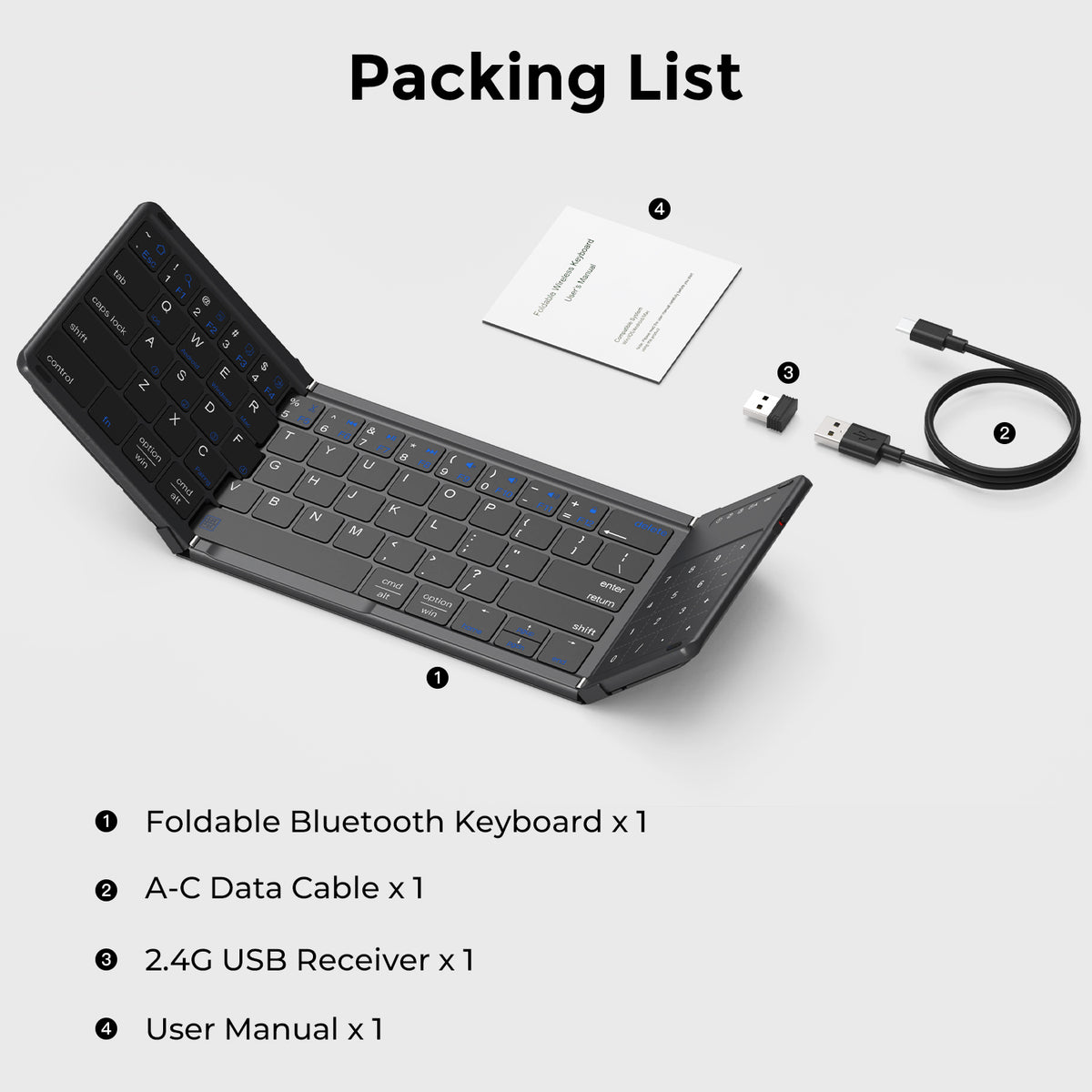
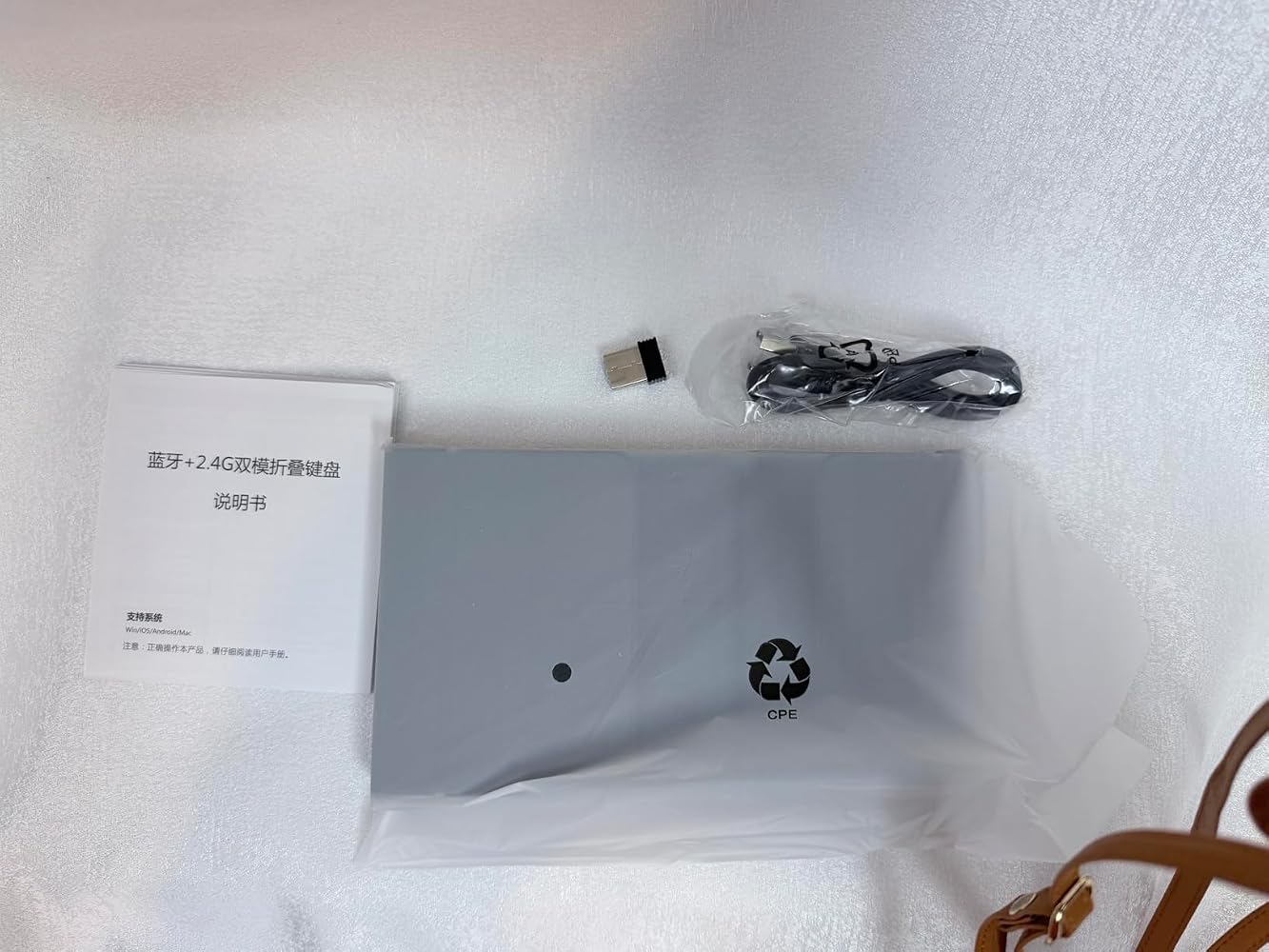
- 1 × Black B077T tri-fold wireless keyboard
- 1 × 2.4 GHz USB receiver
- 1 × USB-A to USB-C charging cable
- 1 × User manual
Phones, tablets, computers, device stands and other scene accessories are not included.
Important notes
Bluetooth and receiver connections provide alternative input routes, not simultaneous typing on four devices. Touchpad and numeric keypad functions share one surface and operate in the selected mode. Wireless range depends on the surroundings, obstacles and interference; illustrative range figures are not a connection guarantee. Operating-system shortcuts and gestures may differ between devices.
Frequently asked questions
Is the number pad separate from the touchpad?
No. The right-side touch surface switches between touchpad and numeric keypad modes. It is a touch-sensitive number pad rather than a bank of physical number keys.
How many devices can I switch between?
The keyboard provides three Bluetooth channels plus a 2.4 GHz USB receiver connection. Select one connection at a time; it does not type on four devices simultaneously.
Is the USB receiver included?
Yes. The package includes the 2.4 GHz USB receiver. Check that your device has a compatible USB-A port or use a suitable adapter where supported.
Can I use it with an iPad or iPhone?
Compatible Apple devices can use external Bluetooth keyboard input. The supplied guidance requires iOS/iPadOS 13.4 or later for touchpad use, and pointer actions or gestures can vary with the device and app.
Does it work with Windows, macOS and Android?
It is intended for compatible devices on these systems that support external keyboard input. Check pointer, shortcut and numeric-mode behavior with your specific system and applications.
Does the USB-C cable provide wired typing?
The USB-C port is confirmed for charging. Wired keyboard operation is not specified; use Bluetooth or the included wireless receiver for input.
Does it include a phone or tablet stand?
No. The supplied package includes the keyboard, receiver, charging cable and manual. Use a separate suitable stand if you want to raise your device.
Are the blue key legends backlit?
The blue legends show secondary key functions. This listing does not promise a backlit keyboard.
Is it suitable for spreadsheet work?
The numeric mode can help with occasional figure entry, while touchpad mode provides supported navigation. Users who need tactile number keys for long sessions may prefer a separate physical numpad.
Can I use it on my lap?
A firm, flat surface provides the best support for the folding structure. A soft or uneven surface may allow movement while typing.
Need help choosing? Contact sikaicase@sikaiglobal.com with your device model, operating system and intended use.
Apple, iPad, iPhone, macOS, Windows, Android and Bluetooth are trademarks of their respective owners. References identify compatibility and do not imply endorsement or affiliation.
Teilen


The MOSHOU foldable keyboard is a highly functional piece of hardware that significantly expands the utility of mobile devices like iPhones and tablets. In terms of technical performance, the layout size is excellent, providing a comfortable typing experience that doesn't feel cramped despite its portable nature. Once the initial hurdle of pairing is cleared��which is admittedly less intuitive than other models��the connection is stable and the key response is impressively snappy. ?????However, there is a notable "kink" in the physical design that affects its overall value. In today��s market, it is almost standard for wireless devices to include a dedicated internal slot or holder for the USB dongle. This unit lacks a storage spot for the receiver, which is a disappointing oversight for a travel-focused product where parts can easily be misplaced. For a pro user, this means having to be extra diligent with the small receiver. ????The integration of the trackpad and numpad is a massive Beautiful feature for productivity, especially when working on the go. While having the trackpad built-in is great, the lack of dedicated physical left and right-click buttons makes complex tasks like highlighting text or searching a bit less intuitive. You have to rely on the under-trackpad clicks, which can feel a bit stiff during precision work. ?????Despite these design critiques, the keyboard shines as a responsive writing tool. The quiet typing feel is perfect for public spaces, and the ability to pair with four devices simultaneously keeps the workflow fluid. It is a solid, well-made keyboard that offers a lot of utility, provided you are mindful of the dongle and comfortable with gesture-based trackpad navigation. A very nice item for the mobile professional who needs a full-sized feel in a pocket-sized package. ?????




My laptop is an ASUS ROG Flow Z13, which is really a tablet with a detachable keyboard cover. The stock keyboard is fine in a pinch but I've never liked typing on it for real work. It flexes under my hands, the key travel feels mushy, and the whole thing disconnects if you bump it wrong. I went looking for a compact external option I could throw in my bag without adding noticeable weight, and this one checked every box I cared about.The Bluetooth connection to the Z13 has been rock solid. No drops, no lag, no weird re-pairing dance every time I wake the laptop up. I've been running it on 2.4G over the USB receiver when I want the lowest latency for gaming, and on Bluetooth when I need to keep the USB port free for a drive. The triple device pairing is a nice bonus because I can flip between the Z13, my iPad, and my phone with a button press instead of unpairing anything.The ergonomics are actually decent, which is surprising to me. I have RSI and this hasn't irritated it at all.The fold mechanism is sturdier than I expected for something this thin. It hinges flat, the magnets hold it closed in my bag, and it opens into a full layout with a real numpad, which was the main reason I chose this over the smaller foldable options I looked at. The built-in trackpad means I don't need to carry a mouse for quick coffee shop sessions, and it's responsive enough for general navigation even if I'd still use a real mouse for detailed work.Key travel is quiet and consistent across the whole board. I've done a few multi-hour typing sessions and haven't had any finger fatigue. The only minor thing is that the keycaps are a little glossier than I'd personally prefer, but that's taste, not function. For anyone with a 2-in-1 who hates their stock keyboard, this is an easy upgrade at a reasonable price.
I'm using this keyboard to type this review on my Macbook Pro. Pairing it to my iPhone and my Macbook was super easy once I figured out the instructions, which maybe aren't as clear as they could be. Use the fn key and letter A for channel 1, fn + letter S for channel 2 and fn + letter D for channel 3. Then fn + letter C to pair it with your device. fn + letter Q to make the trackpad work for iOs. I am able to use the trackpad as a mouse on my computer but not on my phone. It's simple to switch between track pad mouse and numerical keypad. Learning how to click and drag, or click and enlarge takes some getting used to but it's very responsive with the correct motions. I like that the keyboard also comes with a USB dongle receiver so technically you could use this with up to four devices - 3 wirelessly and one with the dongle. The keyboard feels nice to type on, and it's tiny but has all the functions you'd need. It folds up smoothly and easily. This will be handy for pairing with a phone or tablet while on the go. We have a portable monitor as well, and with both it turns a table or phone into a full-sized workstation if needed. Yet it folds down very small and would be easy to carry in a backpack, work bag or purse. I'm very impressed with this product. The only thing I would change is that it would be nice to have a carrying case included with the keyboard to store the power cord and USB dongle together with the keyboard for travel. I'll have to find something that will work for that. But otherwise this is a really nice solution and I'd order it again without hesitation.
I was actually quite surprised by how well this keyboard works. Typing is responsive and I really like how the track pad is also a numpad. Tested on windows and android.Trackpad is a little sensitive but glides surprisingly well. It even has a clickable left and right mouse clickable mouse area on the track padThis is clearly an identical dupe of a much more expensive keyboard you find on Amazon and I appreciate that these people made it available for much cheaper.

