SikaiCase
SikaiCase Custom Programmable Mechanical Mini Keyboard – 12 Keys + 4 Knobs
SikaiCase Custom Programmable Mechanical Mini Keyboard – 12 Keys + 4 Knobs
픽업 사용 가능 여부를 로드할 수 없습니다.
The SikaiCase Custom Programmable Mechanical Mini Keyboard gives you twelve mechanical keys and four rotary push knobs in one compact control pad. It is designed for repeated shortcuts, creative applications, office workflows, streaming, media control, gaming, and other tasks where quick access matters.
Key Features
- 12 programmable mechanical keys: assign supported shortcuts, key combinations, text strings, multimedia controls, mouse actions, application commands, and macros.
- Four programmable rotary push knobs: assign clockwise rotation, counterclockwise rotation, and press actions to each knob.
- Three connection modes: use Bluetooth, the included 2.4G USB receiver, or a USB-C wired connection.
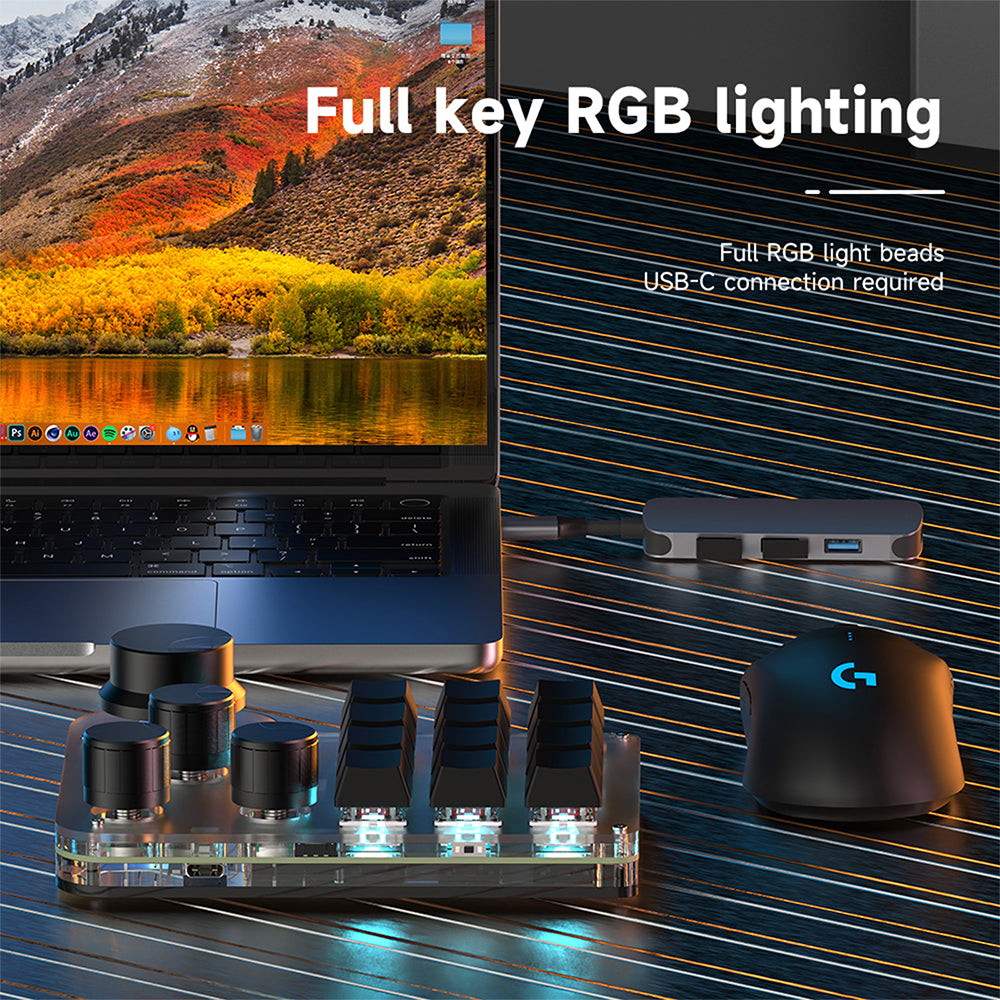
- RGB lighting: supported RGB lighting is available while the keyboard is connected by USB-C.
- Hot-swappable red switches: replace compatible mechanical switches and keycaps to adjust feel and appearance.
- Onboard memory: saved key and knob assignments remain on the mini keyboard after configuration.
- Black or white: choose the color that best fits your desk setup.
Software Setup
- Download the software from the SikaiCase Keyboard Software page.
- Connect the mini keyboard to a Windows computer using the included USB-C cable.
- Assign the twelve keys and all knob actions, then select the supported lighting settings.
- Save the configuration to onboard memory.
- After saving, switch to Bluetooth or 2.4G mode when wireless use is preferred.
Important: Customization must be completed through a USB-C wired connection on Windows. For Mac shortcuts, use the Win key in the software for Command and Left Alt for Option where applicable, save the mapping, and then connect the mini keyboard to the Mac.
Best For
- Photo, video, audio, and design software shortcuts
- Streaming and multimedia controls
- Office commands and repetitive workflows
- Programming and application shortcuts
- Supported gaming commands and macro actions
Before You Buy
- This product is the wireless 12-key + 4-knob version and supports Bluetooth, 2.4G receiver, and USB-C wired use.
- The keys are blank and need software configuration before performing your selected actions.
- RGB lighting requires a USB-C connection.
- The configuration software is currently for Windows; set up and save the keyboard on Windows before using saved mappings on another compatible device.
- Available shortcut behavior can vary by operating system, application, or game.
What's in the Box
- 1 × 12-key + 4-knob programmable mini keyboard
- 1 × USB-C data cable
- 1 × 2.4G USB receiver
Care
Disconnect the keyboard before cleaning. Wipe it with a soft, dry cloth and keep liquids away from the USB-C port, switches, knobs, and internal components.
FAQ
Are all twelve keys programmable?
Yes. Assign supported functions through the Windows configuration software.
Are all four knobs programmable?
Yes. Clockwise, counterclockwise, and press actions can be assigned to each knob.
Does it support Bluetooth and 2.4G?
Yes. It supports Bluetooth, the included 2.4G USB receiver, and USB-C wired operation.
Can I configure it wirelessly?
No. Connect it to a Windows computer by USB-C to create and save the configuration first.
Does RGB work in wireless mode?
The supplied product information specifies that RGB lighting requires a USB-C connection.
Can I use it with a Mac?
Yes, after configuring and saving compatible mappings through the Windows software and USB-C connection.
Do I need to keep the software open?
No. Saved settings are stored in onboard memory for normal use after setup.
Are the switches and keycaps replaceable?
Yes. The product uses a hot-swappable mechanical design for compatible switches and keycaps.
Share