


SikaiCase
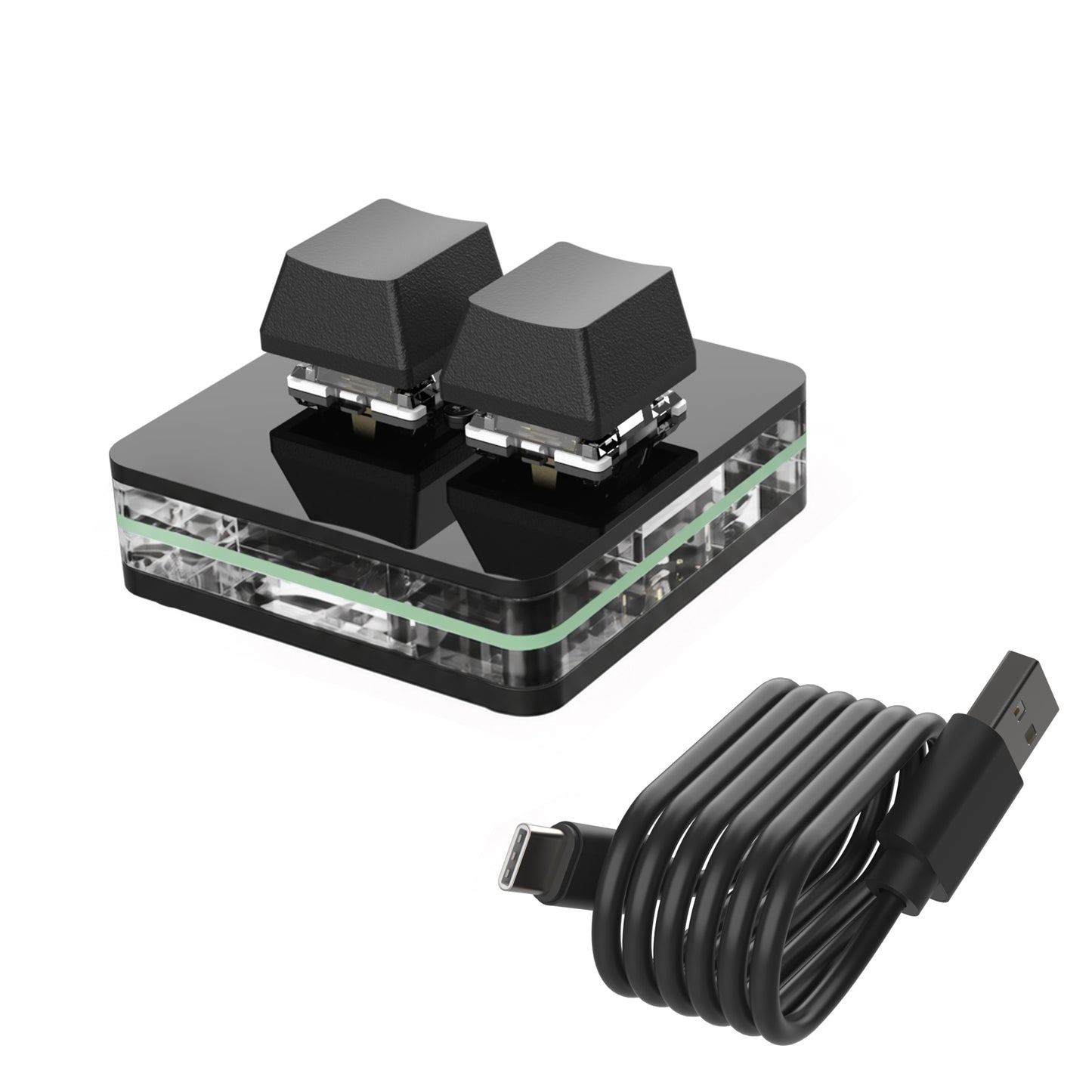
SikaiCase 2キープログラマブルメカニカルミニキーボード
SikaiCase 2キープログラマブルメカニカルミニキーボード
受取状況を読み込めませんでした
- 迅速・無料配送
- 30日間の返品ポリシー
- 12か月保証
2つのキーで、よく使う操作をいつでも手元に。
SikaiCaseの2キープログラマブルミニキーボードは、コピー・貼り付け、編集、メディア操作、ゲームコマンドなどの反復操作に使える小型メカニカルキーパッドです。USB-C有線モデル、またはBluetoothと付属2.4GHzレシーバー対応の無線モデルから選べます。
主な特長
- 2つの設定可能なキー: 対応するショートカット、キー組み合わせ、マルチメディア操作などをソフトウェアで割り当てます。
- すぐ使える有線Copy/Pasteモデル: 印字されたCopy・Pasteキーは対応機能が設定済みで、通常使用前の初期プログラミングは不要です。
- 無刻印モデルは設定が必要: USB-CでWindowsまたはmacOSに接続し、使用前にソフトウェアでキーを設定してください。
- 有線・無線を選択: 有線モデルはUSB-Cのみ、無線モデルはBluetoothと2.4GHzレシーバー接続に対応します。
- ソフトウェアでRGBを設定: 設定ソフトウェアで対応するRGBカラーと照明効果を選べます。
- 赤軸メカニカルスイッチ: 繰り返し押しやすい滑らかなリニアの打鍵感。
- ホットスワップ設計: 対応スイッチとキーキャップを交換し、感触と外観を変更できます。
- オンボードメモリー: 設定後はキー割り当てと対応する照明設定がキーパッドに保存され、通常使用できます。
- コンパクトなミニキーボード: フルサイズキーボードを追加せず、必要なショートカットを手元に置けます。
モデルを選ぶ
有線Copy/Paste: USB-C接続のみ。印字キーにはコピーと貼り付けが初期設定され、接続後すぐに使えます。後から再設定もできます。
有線・無刻印キーキャップ: USB-C接続のみ。通常使用前に対応WindowsまたはmacOSソフトウェアで設定してください。
無線・無刻印キーキャップ: Bluetoothと付属2.4GHz USBレシーバーに対応。初回のキー・RGB設定はWindowsまたはmacOSへUSB-C接続して行います。付属USB-Cケーブルは充電にも使用します。
ソフトウェアとRGB設定
- ソフトウェアのダウンロード先: SikaiCaseキーボードソフトウェアページ。
- 付属USB-CケーブルでミニキーボードをWindowsまたはmacOSに接続します。
- 対応するキー機能とRGB照明効果を選びます。
- 設定をキーパッドに保存します。無線モデルはその後Bluetoothまたは2.4GHzモードに切り替えられます。
ソフトウェアの条件: 対応するWindowsまたはmacOSソフトウェアとUSB-C接続でカスタマイズできます。Macでは対応macOSソフトウェアで直接設定するか、WindowsやmacOSで保存した互換設定を使用できます。WindowsでMac用のショートカットを準備する場合、該当する操作ではCommandにWindowsキー、OptionにLeft Altを指定してください。
購入前の確認
- 希望する仕様を正確に選んでください。有線・無線モデルでは接続方法と同梱品が異なります。
- 有線モデルはBluetoothや2.4GHzレシーバーに対応しません。
- 無線モデルには2.4GHzレシーバーが付属します。有線モデルには付属しません。
- Copy/Paste印字モデルは初期ショートカットですぐ使えます。無刻印モデルは使用前に設定が必要です。
- RGBカラーと効果は機器とソフトウェアが対応するものに限られます。
- 利用できるソフトウェア機能とショートカットの動作はOSやアプリによって異なります。
同梱品
有線モデル: 2キーミニキーボード×1、USB-Cケーブル×1。
無線モデル: 2キーミニキーボード×1、USB-Cケーブル×1、2.4GHz USBレシーバー×1。
配送
標準配送無料。通常のお届け目安は8~21営業日で、配送先や現地の配送状況により異なります。
お手入れ
清掃前に接続を外してください。柔らかい乾いた布で拭き、USB-C端子、スイッチ、内部部品に液体が入らないようにしてください。
よくある質問
ミニキーボードですか、フルサイズですか?
ショートカットや反復操作用の小型2キープログラマブルミニキーボードです。文字入力用フルキーボードの代わりにはなりません。
Copy/Paste印字モデルは設定なしで使えますか?
はい。有線の印字モデルはコピーと貼り付けが設定済みで、USB-C接続後に使用できます。
無刻印モデルはすぐ使えますか?
通常使用前にWindowsまたはmacOSへ接続し、ソフトウェアで設定する必要があります。
印字キーの機能を後から変えられますか?
はい。初期機能ですぐ使えますが、対応するキー機能をソフトウェアで再割り当てできます。
RGBライトを変更できますか?
はい。対応するWindowsまたはmacOSソフトウェアでRGBカラーと効果を選べます。
ソフトウェアの入手先は?
日本語のダウンロード先: SikaiCaseキーボードソフトウェアのダウンロード・設定ページ。
無線モデルはBluetoothに対応しますか?
はい。Bluetoothと付属の2.4GHz USBレシーバーに対応します。
有線モデルを無線で使えますか?
いいえ。有線モデルはUSB-C接続のみです。
Macで直接設定できますか?
はい。機種専用のmacOS設定ソフトウェアとUSB-C接続を使用してください。Windowsで保存した互換設定をMacで使うこともできます。
ソフトウェアを開いたままにする必要はありますか?
いいえ。対応設定をオンボードメモリーに保存すれば、ソフトウェアを開かずに保存済み機能を実行できます。
スイッチとキーキャップは交換できますか?
はい。対応するメカニカルスイッチとキーキャップのホットスワップに対応します。
ゲームやメディア操作に使えますか?
はい。設定ソフトウェアが対応し、対象ゲームやアプリが受け付ける操作なら使用できます。
SikaiCaseは独立したアクセサリーブランドです。第三者のOSやアプリの名称は対応の説明にのみ使用しており、推奨や提携を示すものではありません。
関連するSikaiCaseガイド
設定や作業手順の検討にご利用ください。ソフトウェアと手順は正確な機種と選択した仕様に合わせてください。
共有


I needed this for a special purpose and it was exactly what I was looking for. There was a problem using the configuration software but they posted an update literally overnight that worked like a champ. I was able to change the Cut/Paste key codes to ones that I required for a particular, unusual application.

This just works so well, I got another one for my laptop. I use cut, paste, all the time. It is my go-to for report writing. The size is right, the lights kind of cool, kind of odd, but it just works and is plug and play.
I like this little thing. With the downloadable software from the instructions, you can turn the lights off. It's incredibly helpful for my WFH job, where I have to copy and paste very often.I like that the functions are customizable, if I wanted to use this for osu! or something else. There are some light presets in the software, but they are not customizable, and I'm not sure if the RGBs in here are addressable. But maybe if you download a program like OpenRGB you might be able to customize the lighting patterns more. I have not tested this, I just use it with the lights off because they are distracting.The keys themselves have softer switches that do NOT click. If you like super crisp, "clicky" mechanical keyboard switches, this is not the keypad for you. The switches are basically silent and have very little resistance, so they are easy to press down. The feedback you get, will be from the key kitting the bottom. Not a problem for me.After owning one of these for a few months, I have thought about upgrading to a bigger keypad with more keys like Save, Print, Ctrl, etc.Build quality is good. The stick-on rubber feet pads keep the unit in place for the most part. Uses a standard USB-C to USB-C cable, so if the included one is not long enough, you can get a longer one.Worth the money for my needs. 5/5

This is the best. I get so many people asking if it really works lol then they ask where I got it. It was plug and play I didn't even have to download any software or anythingIt definitely assist on having to stretch your hand. I'm a little spoiled with it lol
I couldn't get the website to change my keys around (I wanted it to be paste plain text), but I use this daily and it's great!