SikaiCase
SikaiCase Custom Programmable Mechanical Mini Keyboard – 4 Keys + 1 Knob, Wireless
SikaiCase Custom Programmable Mechanical Mini Keyboard – 4 Keys + 1 Knob, Wireless
Impossible de charger la disponibilité du service de retrait
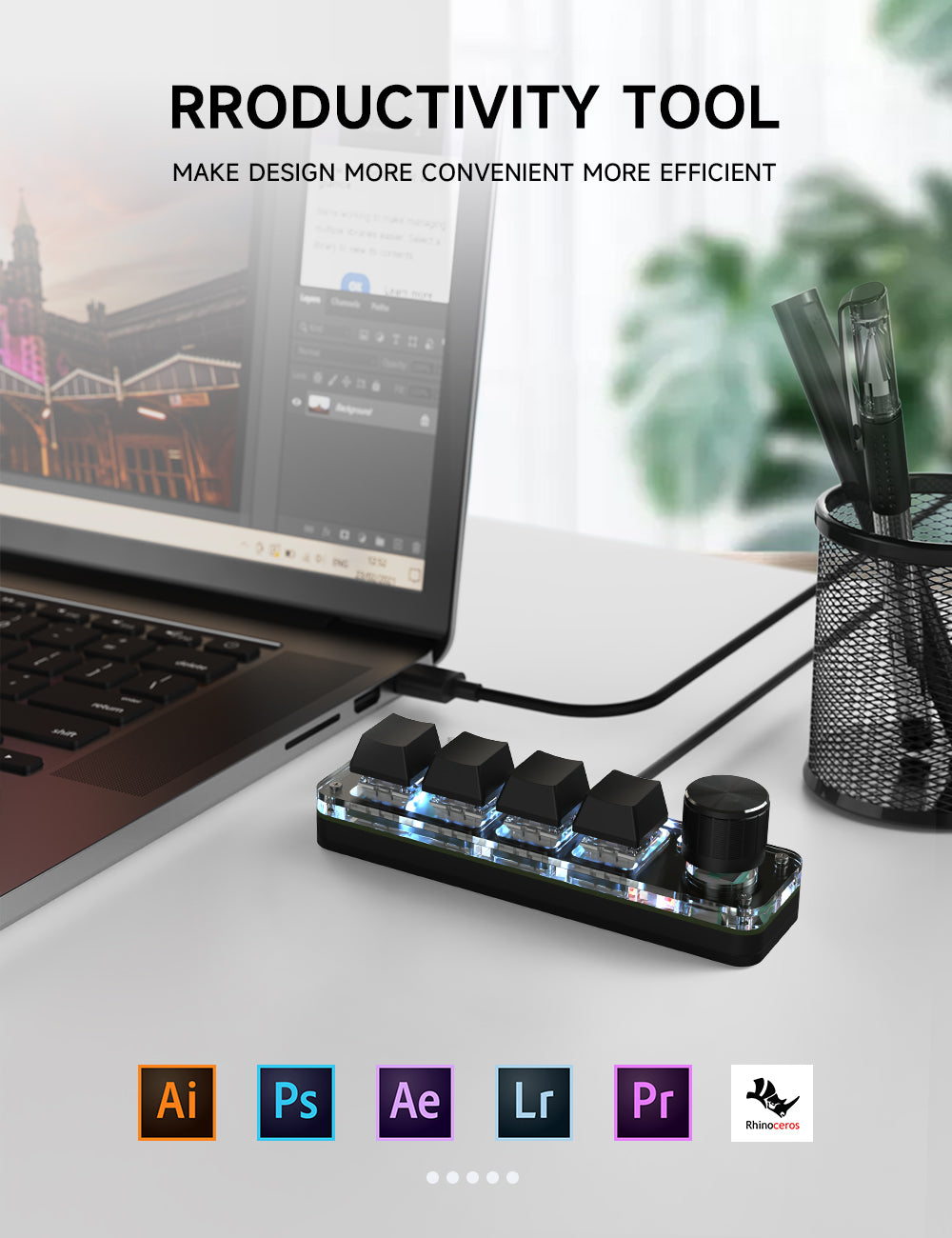
The SikaiCase 4-Key + Knob Wireless Programmable Mini Keyboard keeps frequently used shortcuts, macros and media controls within easy reach. Its compact black acrylic body combines four programmable mechanical keys, a rotary knob, RGB lighting, Bluetooth and 2.4G wireless connectivity for streamlined desk, creative and gaming workflows.
Key Features
- Four programmable keys: assign individual keys, shortcut combinations or frequently used commands.
- Rotary and press control: turn or press the large knob for convenient media or workflow controls after configuration.
- Bluetooth and 2.4G wireless: choose the connection method that suits your setup; a USB 2.4G receiver is included.
- RGB lighting: adjust supported RGB colors and effects through the keyboard software.
- Red mechanical switches: smooth linear key action with a hot-swappable keycap and switch structure.
- Onboard memory: saved key assignments remain on the keypad for everyday use after setup.
Best For
Useful for copy and paste, editing commands, media controls, creative software, repetitive office actions, gaming shortcuts and other personalized workflows where a full-size keyboard is unnecessary.
Software Setup
- Connect the mini keyboard to a Windows computer with a USB-C data cable.
- Download the software from SikaiCase Keyboard Software.
- Assign the four keys and knob functions, adjust supported RGB effects, then save the configuration.
- After saving, switch to Bluetooth or the included 2.4G receiver for wireless use.
Important: Key customization must be completed through a USB-C wired connection. The current configuration software is for Windows. On Mac, use the Win key in the software for Command and Left Alt for Option when preparing compatible shortcuts.
Before You Buy
- This listing is for the black wireless version with Bluetooth and 2.4G connectivity.
- The four blank keycaps do not have fixed shortcut labels; configure the required functions before use.
- Bluetooth version numbers, battery capacity, runtime and polling rate are not specified for this listing.
What's in the Box
- 1 × 4-key + knob programmable mini keyboard
- 1 × USB-C data cable
- 1 × USB 2.4G receiver
FAQ
Can I use it immediately without setting the keys?
The blank keys need to be assigned in the Windows software before they perform your chosen shortcuts.
Does it support Bluetooth?
Yes. This wireless version supports Bluetooth and also includes a 2.4G USB receiver.
Can I customize the knob?
Yes. Supported rotary and press actions can be assigned in the software.
Can I change the RGB lighting?
Yes. Supported RGB colors and effects can be configured through the keyboard software while connected by USB-C.
Does the software work on Mac?
The current software is Windows-only. Save the configuration through a Windows computer first, then use compatible saved shortcuts on another device.
Are the switches hot-swappable?
The supplied images show a hot-swappable keycap and switch structure with red mechanical switches.
Is a 2.4G receiver included?
Yes. The package includes a USB 2.4G receiver and a USB-C data cable.
Can it replace a full-size keyboard?
It is designed as a compact shortcut controller and supplemental mini keyboard, not as a full typing keyboard.
Share